- Published on
Mastering Swift Macro
- Authors

- Name
- Omar Elsayed
Introduction
With the release of Swift 5.9, Apple introduced a new feature called Macros. Macros allow you to generate code at compile time, helping you avoid repetitive code. The code is generated before your project is built, which may raise concerns about debugging. However, both the input and output (the code generated by the macro) are checked to ensure they are syntactically valid Swift code.
In the upcoming sections, we will discuss the different types of Macros, provide an example of how to implement your first Macro, explore cases where Macros can enhance our code, and demonstrate how we used them at Klivvr to eliminate boilerplate code.
- Types of Macros
- Macro Implementation Example
- Create SPM
- Declare a Macro
- Implementation of the Macro
- URLMacroErrors
- Testing your Macro
- Conclusion:
- Resources
Types of Macros
Freestanding Macros: Appear on their own without being attached to any declaration and start with
#, such as#Error()and#warning(). There are two types of freestanding Macros:- Expression Freestanding Macro: Used to create a piece of code that returns a value.
- Declaration Freestanding Macro: Used to create a new declaration.
Attached Macros: Modify the declaration they are attached to, using the
@symbol before the name of the Macro. There are five types of attached Macros:- Attached Peer Macro: Adds a new declaration alongside the declaration it's applied to.
- Attached Accessor Macro: Adds accessors (like willSet, didSet, get, set) to the property it's applied to.
- Attached Attribute Macro: Adds attributes to the declarations in the type or extension it's applied to.
- Attached Member Macro: Adds a new declaration in the type or extension it's applied to.
- Attached Conformance Macro: Adds conformances to the type or extension it's applied to.
Now that we've explored the available types of Macros, let's dive into creating a Macro and how it can enhance our codebase.
Macro Implementation Example
In this section we will explore how to create a Macro that generates a non-optional url from a string. The problem is that we need to check the url value using a guard statement every time we create a url from a string, like so:

So we need to avoid this boilerplate code, plus the URL(string: ) will always generate a value-the only case where it will generate nil is if the string is empty. We can go one step further by making the macro generates a compile time error if the given string doesn't follow a certain formate, this will give us the ability to check all the URL in our code during compile time.
Create SPM
The first step is to open Xcode 😂, then go to file > new > package. Then you will have a pop up like so:
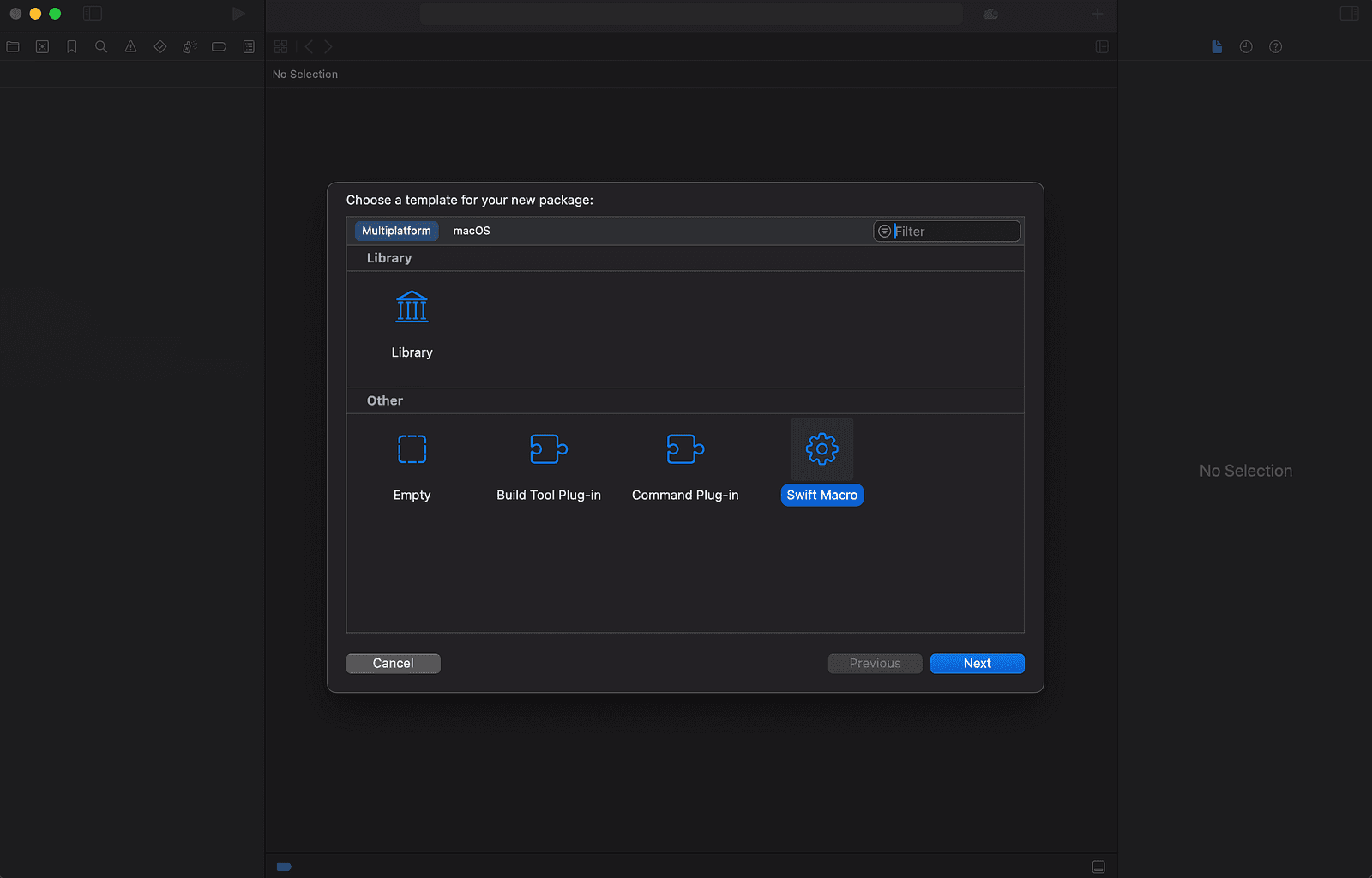
You will choose Swift Macro and this will open a new Swift Package Manger (SPM) that contains a simple macro implementation called stringify.
NOTE
To create a macro, it must be contained in SPM. You can add as many macros as you need in the same SPM. Probably by now you have noticed that the SPM you have created depends on swift-syntax, this is the only requirement to create swift macro.
You will end up having something like this:
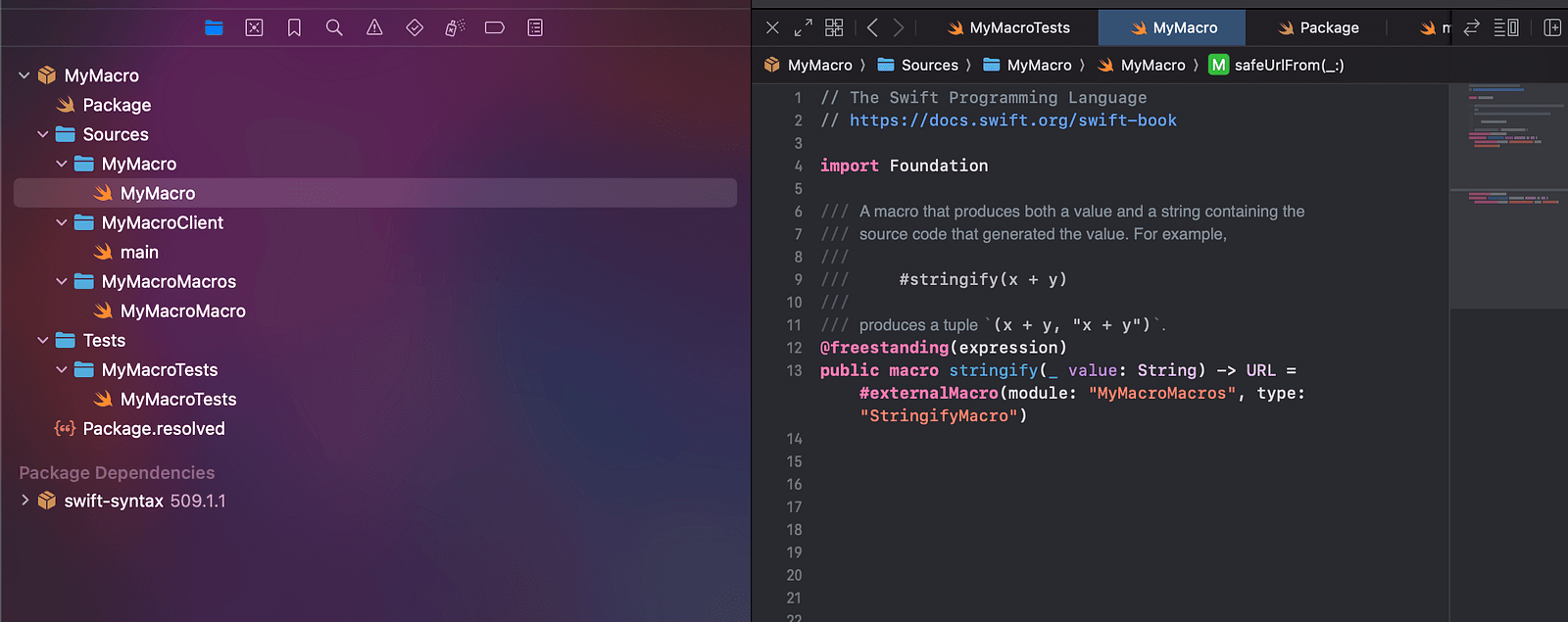
Declare a Macro
To declare a macro, we need to specify the type. The goal is to be able to call this macro in any point in our code base without having to add it to a declaration.
With that in mind, we will choose the freestanding type for the macro. Going a step further, we'll need to specify which type of freestanding macro we are going to use. We need the output of the macro to be a URL and this output is not a new declaration so we will use the freestanding expression macro.
To write that in code it will be as follows:
@freestanding(expression)
public macro safeUrlFrom(_ urlString: String) -> URL = #externalMacro(module: "MyMacroMacros", type: "URLMacro")
The notation @freestanding(expression) specifies the type of macro, then we add the public keyword to expose the macro for use outside the SPM. Then you use the macro keyword to declare a new macro then you write the name of the macro and the parameters for it and the return type of the macro.
After the = sign you basically tell the compiler where is the implementation of the macro in the SPM using the #externalMacro(module: "MyMacroMacros", type: "URLMacro") , you give it the name of the module that contains the implementation of the macro and the name of type that contains the implementation. This is because the implementation of the macros are contained in struct . Now you have declared the macro in the next step we will see how it will be implemented.
NOTE
The declaration of macro is in this file MyMacro.swift
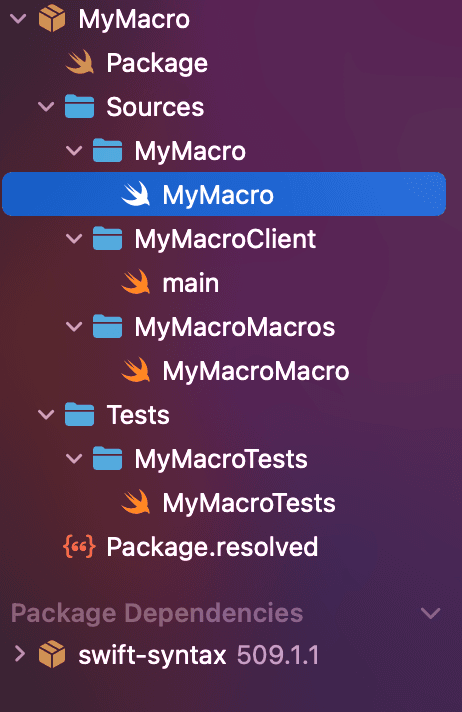
Implementation of the Macro
So as we declared in the #externalMacro(module: "MyMacroMacros", type: "URLMacro") the implementation will be in the MyMacroMacros module, you will find a file that already exits in the module, navigate to this file and let's implement our first macro.
First we will declare a struct called URLMacro as we wrote in the #externalMacro and we will make it conform to the ExpressionMacro protocol since we declared our macro as freestanding expression, it will look like that :
public struct URLMacro: ExpressionMacro {
    public static func expansion(
        of node: some FreestandingMacroExpansionSyntax,
        in context: some MacroExpansionContext
    ) throws -> ExprSyntax {
        // TODO: Implement macro expansion logic
        return ""
    }
}
As you see this protocol have only one requirement which is the expansion method which will contains the implementation of the macro, this method is called when the macro is called.
Since our macro takes parameter as an input so we must first check if the arguments where passed and if they are the right type or not other wise we will throw a compile time error. it looks like this:
guard let argument = node.argumentList.first else { throw URLMacroErrors.noArgumentsPassed }
guard let segs = argument.expression.as(StringLiteralExprSyntax.self)?.segments,
      case .stringSegment(let segment)? = segs.first else {
    throw URLMacroErrors.passedNonStringType
}
All arguments passed to the macro are accessed through the node.argumentList this will gives us an array of the arguments passed to the macro since we only have one parameter we took only the first element, we made a guard statement to throw an error if we found the first element to be nil (which means the arguments weren't passed).
The argument is of type LabeledExprSyntax which contains the passed value to the macro, if you tried to pass "www.klivvr.com" as argument and tried to print the value it will look something like this in the console:
// print result: "www.klivvr.com"
NOTE
We'll get to the details of how we created the URLMacroErrors enum to throw compile time errors at the end of the article.
The second thing we need to do is to check if the type of the argument is of type String. In the swift-syntax package, string is represented by the StringLiteralExprSyntax so basically what we need to do is to type case the argument from LabeledExprSyntax to StringLiteralExprSyntax.
if it succeed this means a String was passed, if not this means the argument is not a String, to do this we assed the expression property and casted it using the as(StringLiteralExprSyntax.self)? then we assed the segments which contains the string we want.
To be able to understand what I did next let me explain first what is the StringLiteralExprSyntax, this is basically the tree syntax representation of string type in the swift-syntax package, every root of the tree contains a property that represent something in the string type.
To understand what I mean let's print it and see what it looks like:
// Print result
▼ Optional(StringLiteralExprSyntax
  ├─openingQuote: stringQuote
  ├─segments: StringLiteralSegmentListSyntax
  │ └─[0]: StringSegmentSyntax
  │   └─content: stringSegment("www.klivvr.com")
  └─closingQuote: stringQuote)
  - some: StringLiteralExprSyntax
As you see this why we assed the segments property to get the string we want, but why it called segments? Because every space in the string is basically a separator between two segments, for example: "Omar is the best 😅😎" here we have 5 segments on the other hand something like "www.klivvr.com" has only one segment.
This is why the second condition in the guard is case .stringSegment(let segment)? = segments.first, this line takes the first element in the segments and makes sure it is equal to the .stringSegment case then we created the urlString from the segment.content.text like:
let urlString = segment.content.text
The third step we need to do is to check if the string is a valid url or not, if not, we will throw a compile time error, it will look something like:
let urlString = segment.content.text
guard let url = URL(string: urlString), url.isFileURL || (url.host != nil && url.scheme != nil) else {
    throw URLMacroErrors.invalidUrl
}
We checked first if we can make a url from the urlString using the URL(string: urlString) then we checked if the url have a host and a scheme or url is a file url at this point we can say it is a valid url.
After that we can return the url:
return "URL(string: \\(argument))!"
This ExprSyntax is then converted by the compiler to URL(string: \\(argument))!. Before celebrating our first macro, let's first see how I created the URLMacroErrors enum to throw compile time errors.
URLMacroErrors
enum URLMacroErrors: Error, CustomStringConvertible {
    case noArgumentsPassed
    case passedNonStringType
    case invalidURL
    var description: String {
        switch self {
        case .noArgumentsPassed:
            return "safeUrlFrom takes urlString of type String as parameter"
        case .passedNonStringType:
            return "safeUrlFrom takes only string as parameter"
        case .invalidURL:
            return "Please pass a valid url String"
        }
    }
}
As you can see, the URLMacroErrors is an enum that conforms to two protocols Errors and the CustomStringConvertible. It has one requirement the description property, which represents the message that will be represented with the compile time error.
IMPORTANT
Don't forget to add the type in MyMacroPlugin like so:
@main
struct MyMacroPlugin: CompilerPlugin {
    let providingMacros: [Macro.Type] = [
        URLMacro.self,
    ]
}

The macro succeeded in the first one because we passed a valid url that contains a scheme and a host but for the second one we didn't specify the scheme hence why it failed.
Testing your Macro
import SwiftSyntax
import SwiftSyntaxBuilder
import SwiftSyntaxMacros
import SwiftSyntaxMacrosTestSupport
import XCTest

// Macro implementations build for the host, so the corresponding module is not available when cross-compiling. Cross-compiled tests may still make use of
    the macro itself in end-to-end tests.
#if canImport(MyMacroMacros)
import MyMacroMacros

let testMacros: [String: Macro.Type] = [
    "safeUrlFrom": URLMacro.self,
]
#endif

final class MyMacroTests: XCTestCase {
    func testMacro() throws {
        #if canImport(MyMacroMacros)
        assertMacroExpansion(
            """
            #safeUrlFrom("https://klivvr.com")
            """,
            expandedSource: """
            URL(string: "https://klivvr.com")!
            """,
            macros: testMacros
        )
        #else
        throw XCTSkip("macros are only supported when running tests for the host platform")
        #endif
    }
}
The last step is to test our Macro, to test your macro add a new key-value pair in the testMacros. The key represent the name of the macro, and the value represent the macro type.
In this case, the value is URLMacro.self, then you will call the assertMacroExpansion method in a test method, it takes two parameters the originalSource which represent the calling of the macro, and the expandedSource which represents the expected output from the macro.
If the actual output is equal, the expected output you wrote in the assertMacroExpansion test will pass, otherwise it will fail.
Conclusion:
Swift Macros are a powerful feature that enables you to write cleaner, more maintainable code by reducing boilerplate and enforcing compile-time checks. At Klivvr, we've started using Macros to streamline our code, and we encourage developers to explore this feature in their projects to enhance efficiency. Good luck as you dive into the world of Swift Macros! 🍀